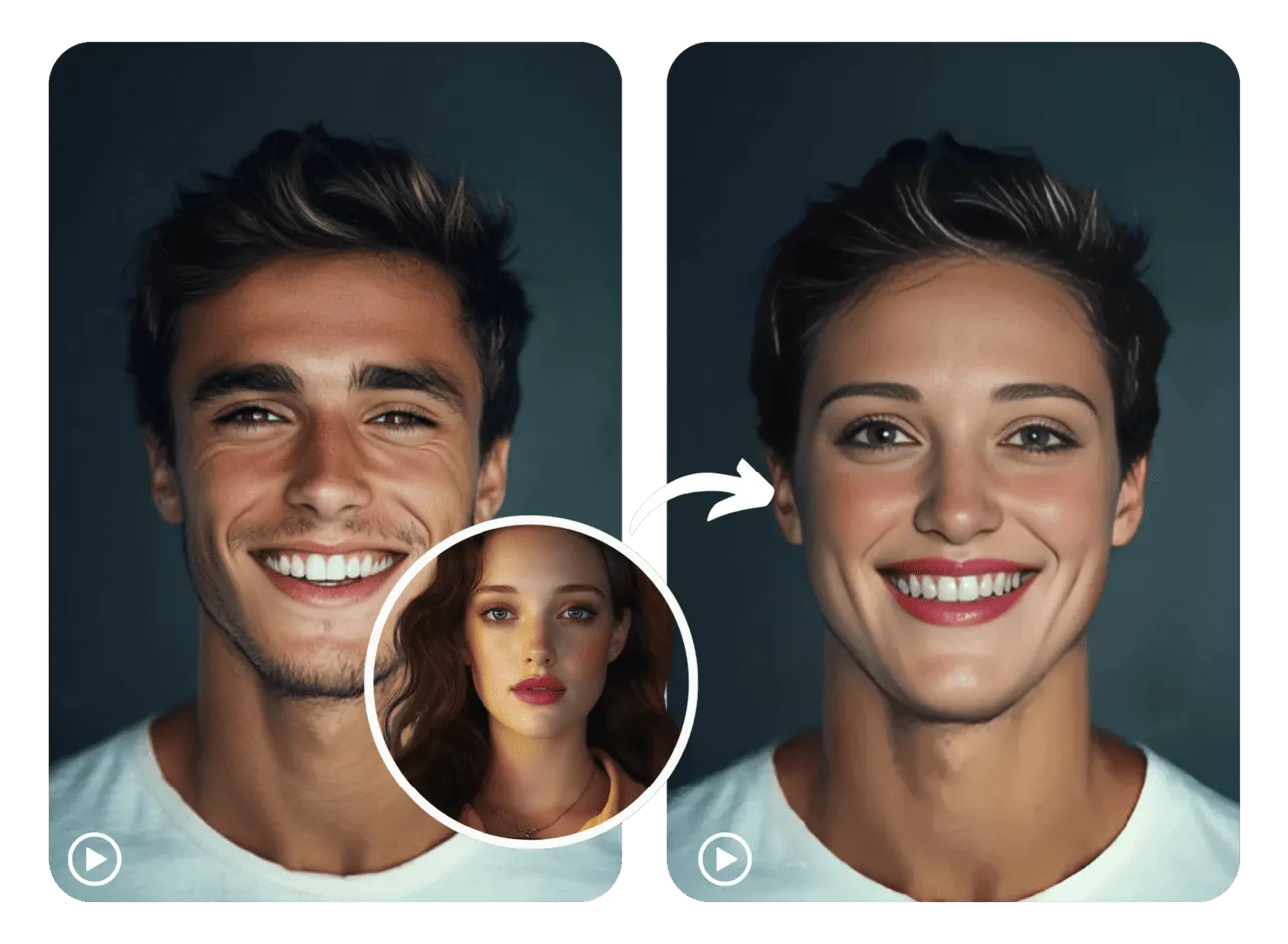
Gender Swap
See What You'd Look Like as the Opposite Gender — Photo, GIF, or Video
Upload a photo, an animated GIF, or a video clip — and the AI rebuilds your face as the opposite gender. Bone structure, skin texture, hair, and features are all transformed consistently across every frame. The result still looks like you, just as a different gender.
Input
Output
Example output


Drag or click to compare · Left: original · Right: result
Works on Every Format You'd Actually Use
Most gender swap tools only handle photos. This one applies the same AI facial reconstruction to photos, GIFs, and videos — with consistent results across all three.
Photos — Full Facial Reconstruction
Upload a selfie, portrait, or scanned photo. The AI rebuilds jawline, brow ridge, nose shape, hairline, and skin texture at full resolution — a realistic result, not a surface filter.
GIFs — Transformation Holds Through Every Loop
The gender swap is applied consistently across every frame of the animated GIF, through blinks, expressions, and head movement. The loop plays back smoothly with no flickering or frame drift.
Videos — Frame-by-Frame Consistency
The AI tracks your face through motion, lighting changes, and angle shifts across the entire clip — maintaining a consistent gender transformation from the first frame to the last.
How to Gender Swap Any Photo, GIF, or Video
Upload your source file, add the face photo, and let the AI do the rest.
- 1
Upload Your Source File
Add the photo, GIF, or video clip you want to transform. This is the content the gender swap will be applied to.
- 2
Upload the Face Photo
Add a clear photo of the face to swap in. A well-lit, front-facing portrait works best.
- 3
Generate and Download
Hit run and the AI applies the gender swap across your file. Preview the result, then download it in the original format — photo, GIF, or video.
Ways People Use AI Gender Swap
From quick selfie curiosity to shareable video content — the format you use depends on what you want to do with the result.
Selfie Gender Swap
Upload a front-facing selfie and see a realistic version of yourself as the opposite gender — bone structure and all, not just a makeup filter.
Gender Swap a Talking Video
Record a short clip of yourself speaking or reacting, run it through the tool, and share a gender-swapped video that keeps your expressions and movement intact.
Animated GIF Transformation
Take a looping GIF — a reaction, a boomerang, a short clip — and get a gender-swapped version where the transformation holds through every frame of the loop.
Friend and Family Photos
Upload a photo of a friend or family member and show them what they'd look like as the opposite gender — one of the most reliably shareable results the tool produces.
Old Photo Exploration
Scan an old photo of a grandparent or relative and see what they might have looked like as the opposite gender — often a striking and unexpected result.
Social Media and Viral Content
Gender swap content — especially before/after video and GIF comparisons — performs consistently well on TikTok, Instagram Reels, and X.
AI Gender Swap FAQ
Common questions about gender swapping photos, GIFs, and videos with SwapAnything.io.
Try Gender Swap on Any Photo, GIF, or Video
Upload any format and get a realistic AI gender transformation in seconds — no account needed to try.